Storybook MCP for React
Storybook-powered agentic UI development

Agents don’t know anything about your components so they make up slop that doesn’t match your coding standards. Storybook MCP gives agents intelligence and test guardrails to keep on track:
- Context about your existing components to reuse
- Instructions to write stories and preview their work
- Ability to run tests and fix their own issues
We’re investing in both. Skills are a helpful way to teach agents how to accomplish tasks. But MCP is required for back-and-forth communication with agents to power self-healing testing.
Force agents to use your components
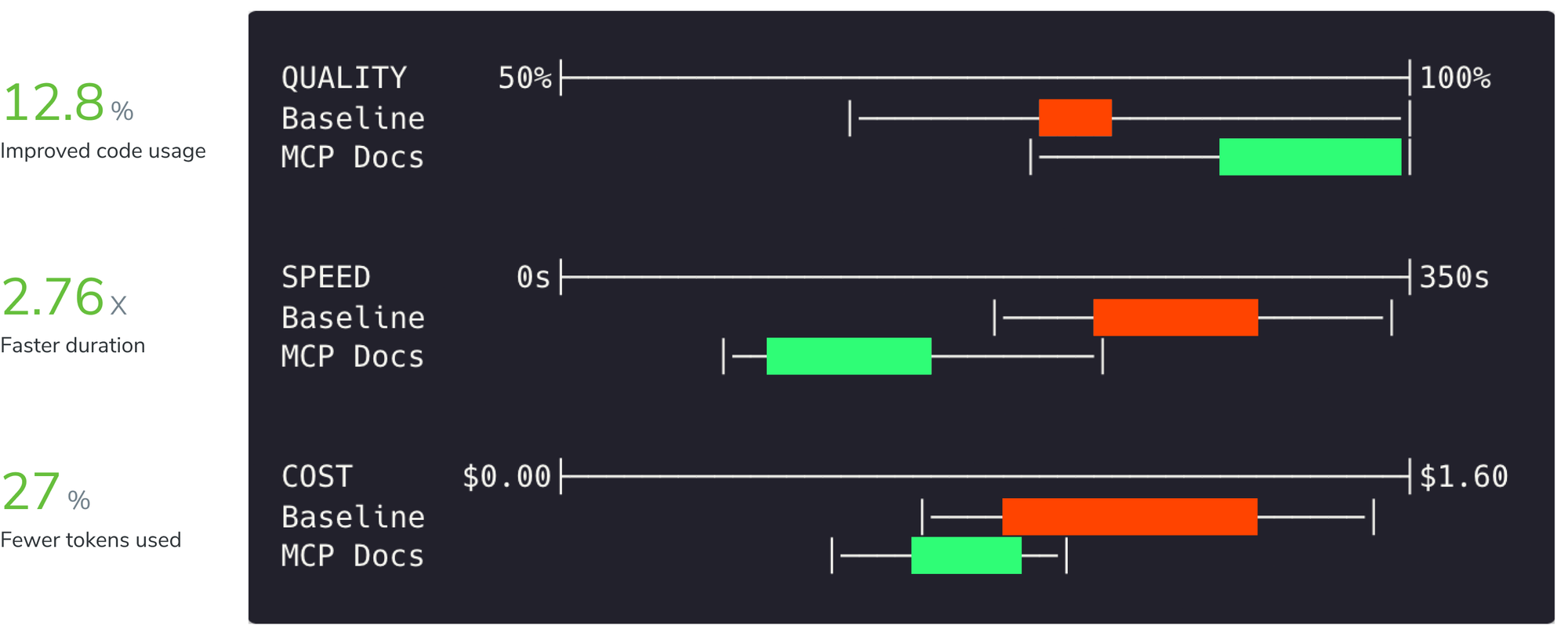
Storybook MCP equips agents with component metadata like stories, API, and docs. This allows agents to reuse existing components instead of inventing new patterns. It does this faster and with fewer tokens compared to not using MCP.
Share UI context across teams
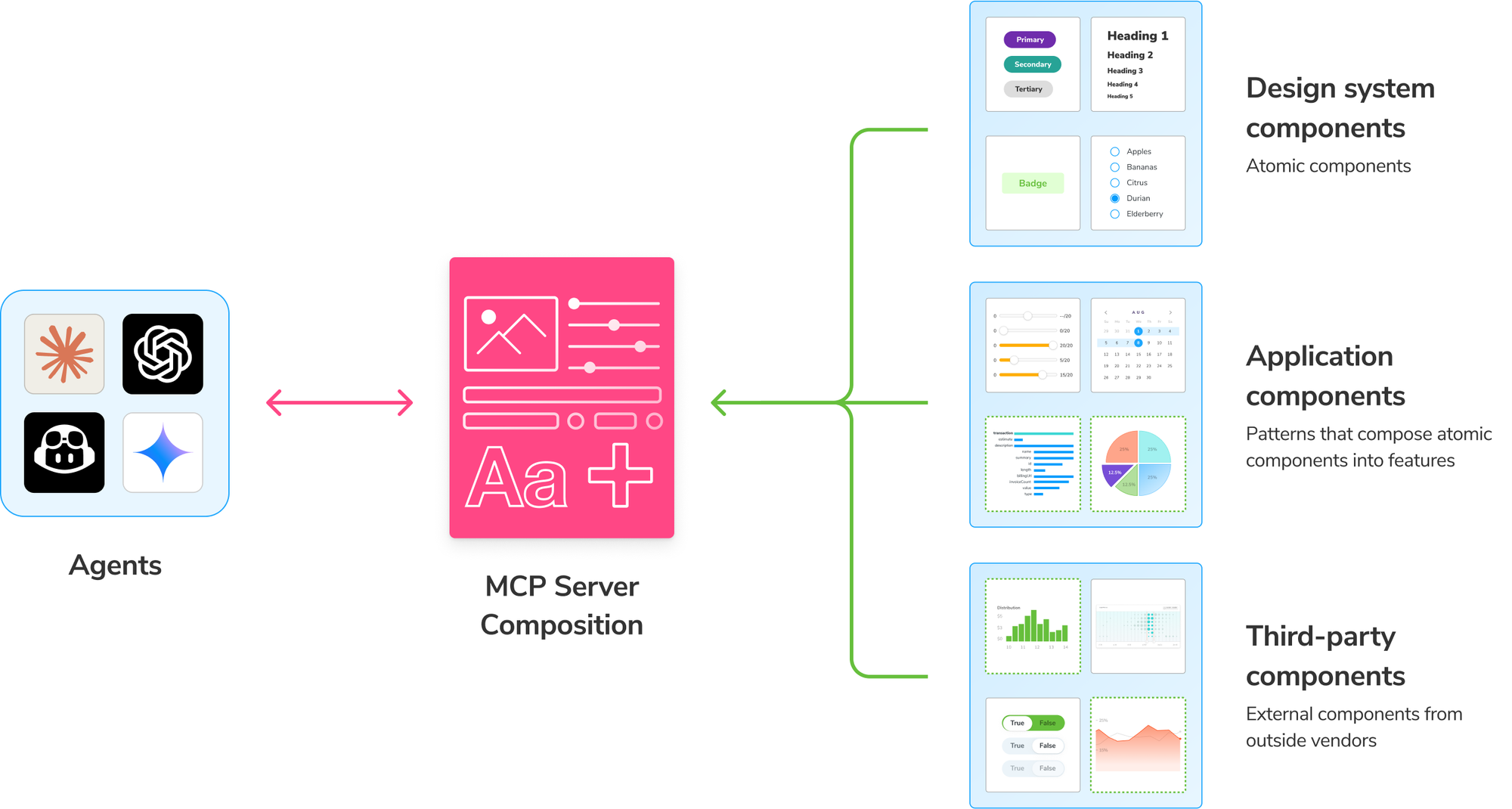
Teams often split their app and design system into separate Storybooks. To generate UI with components from more than one Storybook, you can use the MCP server together with composition.
Publish remote MCP
Publish your Storybook MCP server to share component context with your team without running Storybook locally. Teammates can add the published MCP to their agent, even if their project doesn’t use Storybook.
Chromatic supports publishing Storybook MCP out of the box for free. It also comes with quality checks, versioning, and secure authorization built-in.
Review agent work with story previews
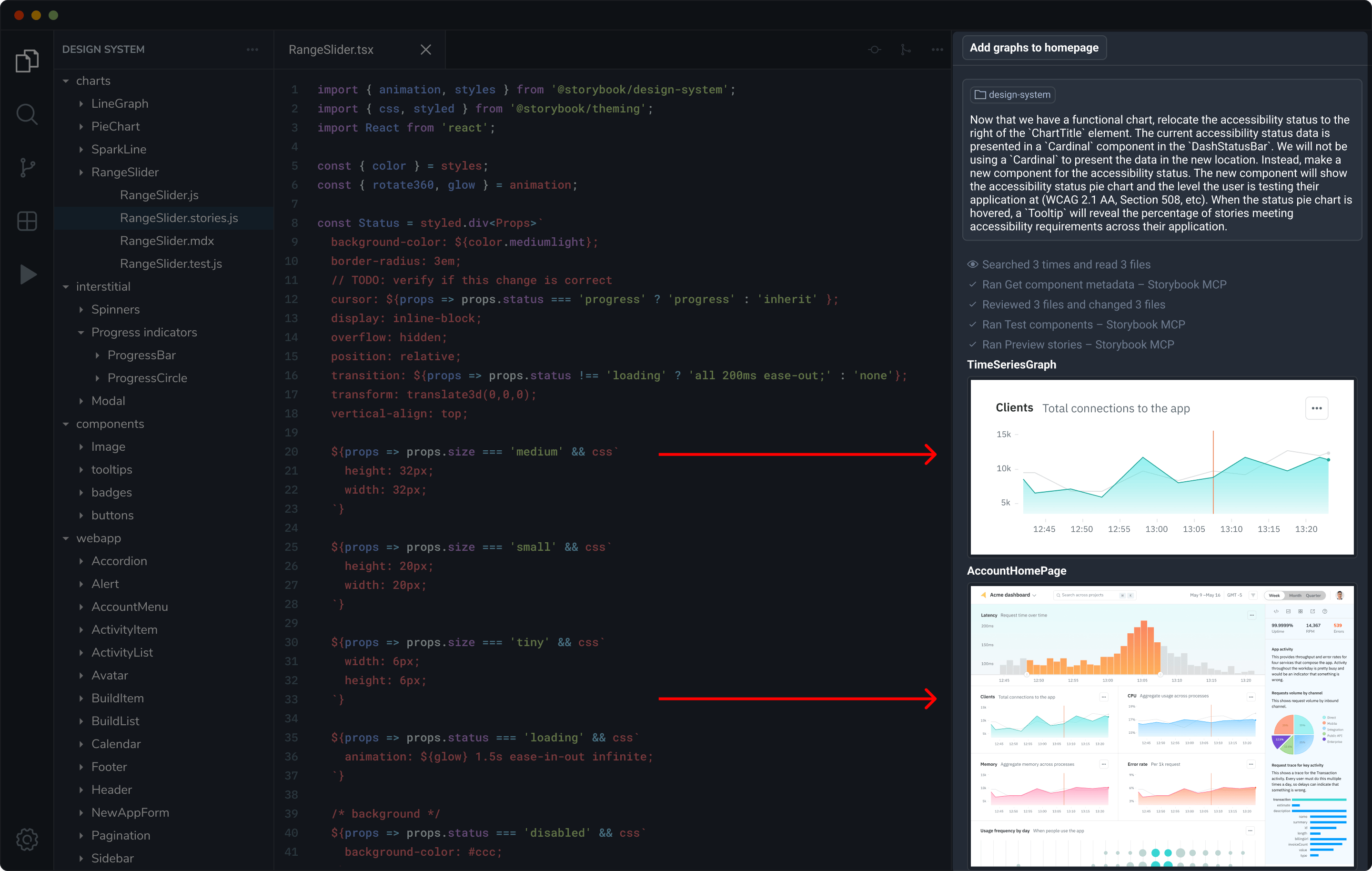
When an agent is finished, it summarizes its work. Instead of a wall of text, Storybook MCP embeds live stories directly inside the chat UI. You can verify the look and feel of the generated UI, including interactions like hover states, without leaving the client.
Agents self-verify with tests
The MCP server gives your agent tools to run component and accessibility tests. It only tests what it deems relevant, making the feedback loop fast and focused. When the agent kicks off a test run, you see the results stream into Storybook's UI.
If there are errors, the agent applies fixes itself or alerts the developer when human judgement is needed.
The agent kicks off a test run, and you can see results appear in realtime in Storybook's UI
Get started
Storybook MCP is available now in Storybook 10.3 for React projects. Try it now below or read the full installation docs. MCP support for other frameworks coming later this year.
Upgrade to version 10.3+:
npx storybook@latest upgrade
Install and register the addon:
npx storybook add @storybook/addon-mcp
Add the MCP server to your client:
npx mcp-add --type http --url "http://localhost:6006/mcp" --scope project