Theme Switcher
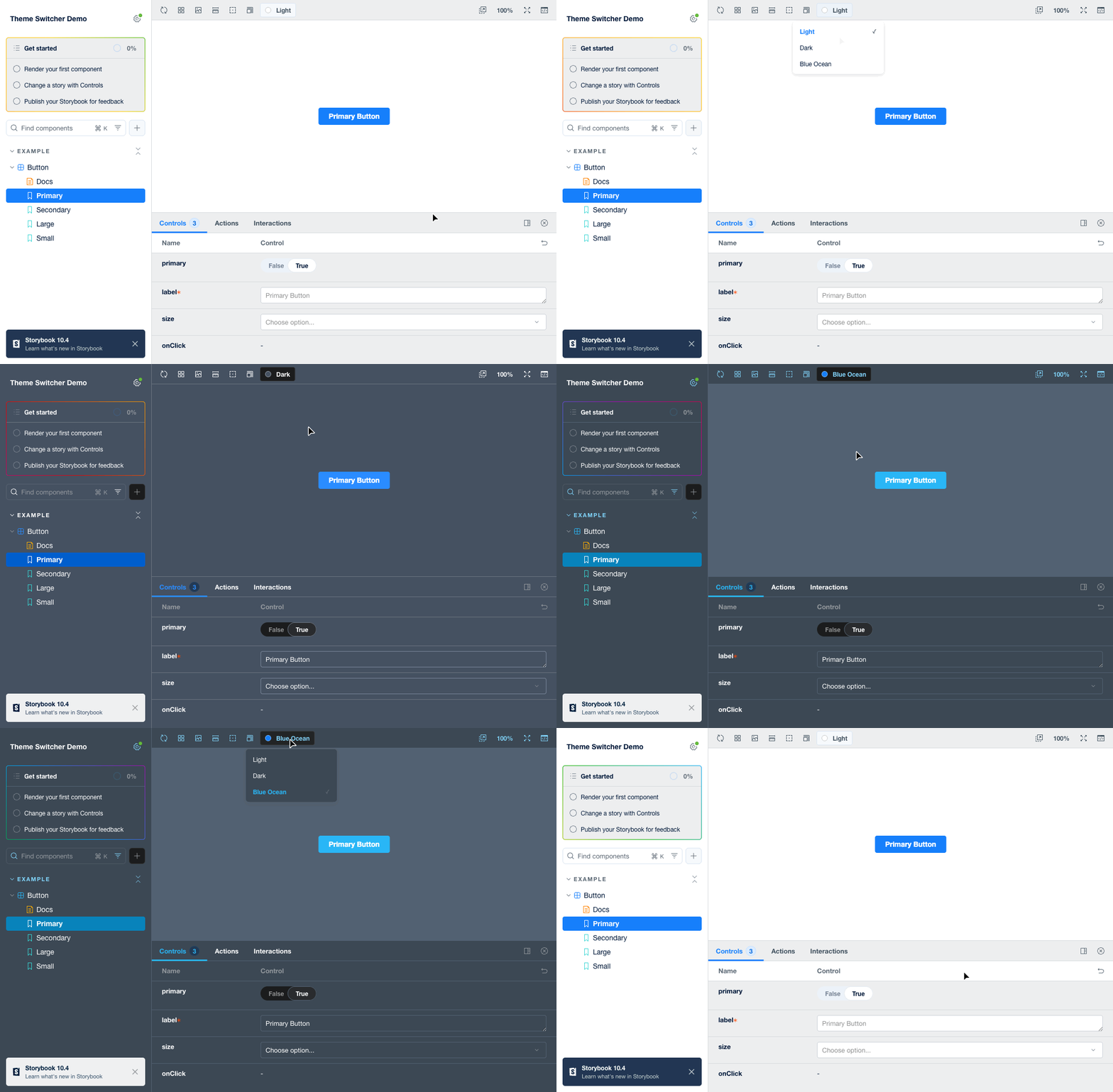
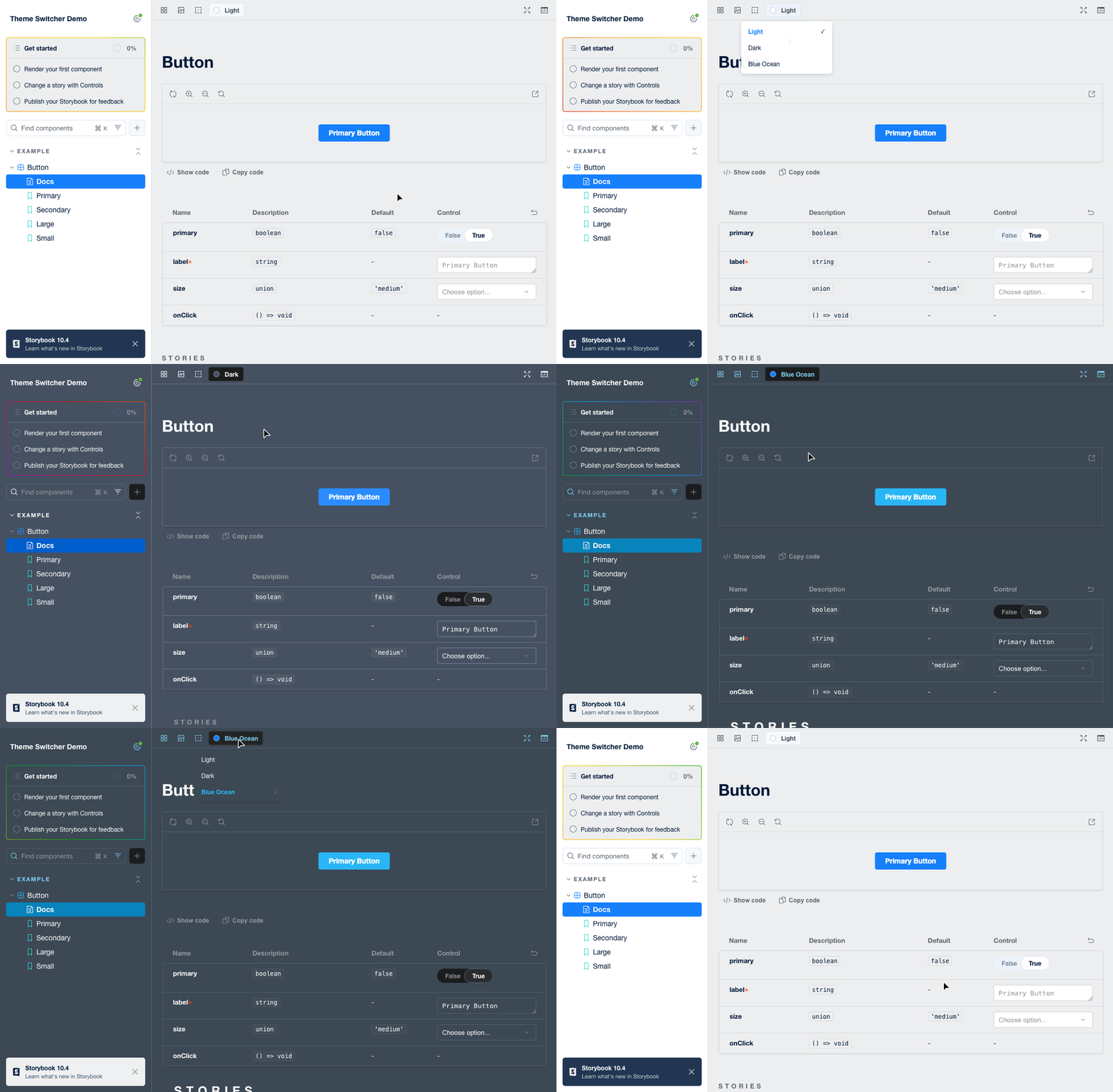
Switch themes across the whole Storybook: manager UI, preview and docs update together. Toggle for 2 themes, dropdown for 3+
sb-theme-switcher
A Storybook addon for switching themes. One config in main.js — the toolbar button, manager UI, preview iframe and docs pages all switch together.



Features
- One config, everything in sync — manager UI, preview iframe and docs pages switch together; no decorators
- Smart toolbar UI — toggle button for 2 themes, dropdown with color indicators for 3+
- Persistent — saves the choice to localStorage, restores it on load (including direct
iframe.htmlopens), syncs across tabs - Docs support — drop-in
DocsContainerthat re-themes documentation pages reactively - TypeScript — full type definitions included
Installation
npm install --save-dev sb-theme-switcher
# or
yarn add --dev sb-theme-switcher
Quick start
1. Create Storybook themes
.storybook/themes.ts — regular Storybook theme objects, they define the colors of the Storybook UI itself:
import { create } from 'storybook/theming'; // Storybook 8: '@storybook/theming'

export const lightTheme = create({
  base: 'light',
  brandTitle: 'My App',
  appBg: '#FFFFFF',
  barBg: '#EDEEEF'
  // ...any other theme options
});

export const darkTheme = create({
  base: 'dark',
  brandTitle: 'My App',
  appBg: '#455161',
  barBg: '#455161'
});
2. Register the addon with your themes
.storybook/main.ts:
import { lightTheme, darkTheme } from './themes';

export default {
  addons: [
    {
      name: 'sb-theme-switcher',
      options: {
        themes: [
          { id: 'light', title: 'Light', class: 'light-theme', storybookTheme: lightTheme },
          { id: 'dark', title: 'Dark', class: 'dark-theme', storybookTheme: darkTheme }
        ],
        defaultTheme: 'light',
        storageKey: 'my-app-theme'
      }
    }
  ]
};
That's all the addon needs: the options are delivered to both the manager window and the preview iframe automatically.
3. Style your components per theme
The active theme's class is set as a data-theme attribute on <html> of the preview iframe:
[data-theme='light-theme'] {
  --background: #ffffff;
  --text-color: #000000;
}

[data-theme='dark-theme'] {
  --background: #1a1a1a;
  --text-color: #ffffff;
}
4. Docs pages (optional)
.storybook/preview.tsx:
import type { Preview } from '@storybook/react';
import { DocsContainer } from 'sb-theme-switcher/docs';

const preview: Preview = {
  parameters: {
    docs: {
      container: DocsContainer // themes are picked up from the addon options
    }
  }
};

export default preview;
Requires @storybook/addon-docs (you already have it if you use docs).
Already have a custom docs container (global styles, fonts)? docs.container accepts only one component, so render the addon's DocsContainer inside yours instead of the one from @storybook/addon-docs/blocks — it forwards all props and injects the current theme:
import { DocsContainer } from 'sb-theme-switcher/docs';

export const ThemedDocsContainer = ({ children, ...props }) => (
  <DocsContainer {...props}>
    <GlobalStyles />
    {children}
  </DocsContainer>
);
Migrating to 1.0.0
- import { DocsContainer } from 'sb-theme-switcher';
+ import { DocsContainer } from 'sb-theme-switcher/docs';
withTheme,PARAM_KEYand theThemeStatetype were removed.withThemewas a no-op decorator — delete it fromdecorators.options.iconswas removed; seticonon the individual theme instead.- Toolbar strings are now English by default. To keep other wording, pass
labels(see below).
Options
interface ThemeSwitcherOptions {
  themes: Theme[];        // at least 2
  defaultTheme?: string;  // theme id used before the user picks one
  storageKey?: string;    // localStorage key (default: 'sb-theme-switcher')
  labels?: {              // toolbar strings, English by default
    switchTheme?: string;   // toggle tooltip, default 'Switch theme'
    selectTheme?: string;   // dropdown tooltip, default 'Select theme'
    switchToTheme?: string; // toggle aria-label, default 'Switch to {theme}'
  };
}

interface Theme {
  id: string;             // unique id, stored in localStorage
  title: string;          // label in the dropdown
  class: string;          // value of the data-theme attribute
  storybookTheme: object; // theme object from create() ('storybook/theming')
  color?: string;         // color indicator in the dropdown (3+ themes)
  icon?: string;          // custom SVG string for the toolbar button
}
With 2 themes you get a toggle button (sun/moon by default), with 3+ — a dropdown.
useTheme() hook
Reads the current theme class inside the preview (reactive via MutationObserver):
import { useTheme } from 'sb-theme-switcher';

function MyComponent() {
  const theme = useTheme(); // e.g. 'dark-theme'
  return <div>Current theme: {theme}</div>;
}
How it works
- A preset injects the serialized options into the HTML head of both the manager window and the preview iframe (
window.__SB_THEME_SWITCHER_OPTIONS__), so no manual scripts are needed. - Switching a theme: applies the
storybookThemeto the manager UI, setsdata-themeon both documents, and stores<storageKey>(theme id) +<storageKey>-class(css class) in localStorage. - On load — including standalone
iframe.html— the saved theme is restored; if nothing is saved,defaultThemeand then the systemprefers-color-schemeare used. - Cross-tab sync via
storageevents, same-tab manager→preview sync viapostMessage.
React component icons
Options from main.js are serialized to JSON, so icon there must be an SVG string. If you need a React component as an icon, define the options manually in .storybook/manager-head.html instead:
<script>
  window.__SB_THEME_SWITCHER_OPTIONS__ = { themes: [/* ... */] };
</script>
Troubleshooting
- Components don't change — check you have CSS rules for
[data-theme='<class>']and theclassvalues in options match them. - No toolbar button — the addon needs at least 2 themes in options.
- Docs pages don't change — set
docs.container: DocsContainerinpreview.tsxand make sure@storybook/addon-docsis installed.
Compatibility
| Storybook | Status | Notes |
|---|---|---|
| 10.x | ✅ tested on 10.1 and 10.4 | |
| 9.x | ✅ tested on 9.1 | |
| 8.x | ✅ tested on 8.6 | the addon automatically uses a dedicated manager bundle — SB 8 only aliases storybook/internal/manager-api |
| 7.x | ❌ not supported | SB 7 lacks the storybook/* module aliases the addon relies on |
- React 16.8+ – 19.x
- Docs container requires
@storybook/addon-docs
Examples
Runnable examples for each supported major live in examples/:
examples/storybook-10— 3 themes (dropdown UI)examples/storybook-9— 2 themes (toggle UI)examples/storybook-8— 2 themes (toggle UI)
License
MIT
- howard_roark
